UV printers are widely used in advertising, packaging, signage, and industrial printing because of their high efficiency and material versatility. However, regular maintenance is essential to keep the printer stable and extend its service life.
Proper care not only improves print quality but also reduces downtime and expensive repairs.
1. Maintain a Stable Working Environment
The operating environment directly affects UV printer performance. Recommended conditions include:
Temperature: 20°C–28°C
Humidity: 40%–60%
Low humidity can cause static electricity, while extreme temperatures may affect ink viscosity and printhead stability. A clean and dust-free environment also helps prevent nozzle clogging and mechanical wear.
2. Perform Daily Nozzle Checks
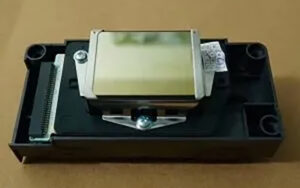
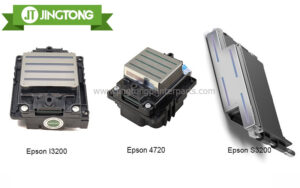
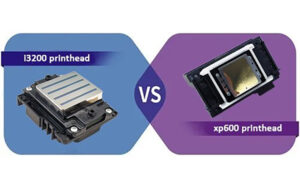
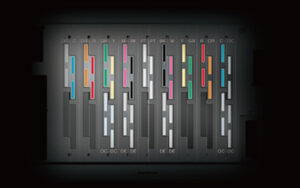
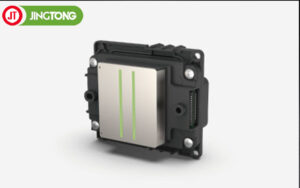
The printhead is one of the most important and expensive parts of a UV printer. Running daily nozzle tests helps identify missing nozzles or ink flow problems early.
If minor clogging appears:
Run light cleaning cycles
Wipe the nozzle plate carefully
Avoid excessive deep cleaning
Frequent aggressive cleaning wastes ink and may shorten printhead lifespan.
3. Clean Key Printer Components Regularly
Ink residue and dust can accumulate during production. Regular cleaning helps maintain stable printing performance.
Important parts to clean include:
Capping station
Wiper blade
Guide rails
Ink system
Printer platform
Lubricating rails and moving parts also helps reduce friction and improves printing accuracy.
4. Use High-Quality Ink and Spare Parts
Low-quality ink may contain impurities that clog nozzles or damage the ink system. Compatible high-quality consumables help maintain stable ink flow and better print consistency.
Recommended maintenance products include:
Printhead cleaning solution
Ink filters
Dampers
Ink pumps
UV curing lamps
Using suitable printer parts can significantly reduce maintenance risks.
5. Follow Correct Startup and Shutdown Procedures
Improper shutdown can cause ink to dry inside the printhead.
Best practices include:
Always park the carriage correctly
Ensure the printhead is capped before shutdown
Avoid sudden power disconnection
Keep the printer running regularly
Many technicians recommend printing daily, especially when using white UV ink, to prevent severe clogging.
6. Check UV Lamps and Cooling Systems
UV lamps and cooling systems affect ink curing quality and machine stability. Dirty lamps or overheating may reduce curing efficiency and damage components.
Regularly:
Clean UV lamp surfaces
Inspect cooling fans and water circulation
Monitor lamp operating hours
Proper UV curing maintenance helps maintain consistent print quality and reduces downtime.
Conclusion
Regular maintenance is the key to extending the lifespan of UV printers. Maintaining proper temperature and humidity, performing daily nozzle checks, cleaning important components, and using high-quality consumables can greatly improve printer stability and print quality.
With professional maintenance and proper operation, UV printers can achieve longer service life, lower maintenance costs, and more reliable industrial production performance.