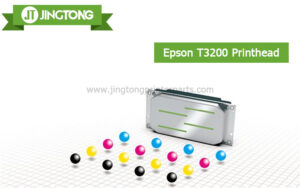
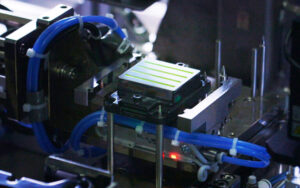
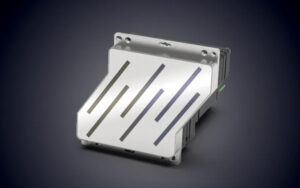
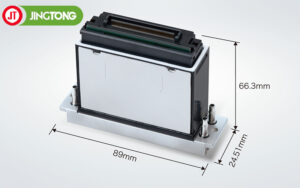
Low temperatures can negatively affect UV, DTF, eco solvent, and inkjet printers. During winter, cold air and low humidity often cause thicker ink, nozzle clogging, unstable printing, and static electricity problems. Proper printhead maintenance is essential for maintaining print quality and extending printhead lifespan.
1. Keep a Stable Working Environment
Temperature and humidity directly affect ink performance. The recommended environment for most printers is:
Temperature: 20°C–28°C
Humidity: 40%–65%
Cold temperatures make ink more viscous, reducing ink flow and causing missing nozzles or broken lines. Low humidity also dries ink faster around the nozzle surface.
2. Prevent Nozzle Clogging
In winter, ink can dry more easily on the printhead surface. To reduce clogging risks:
Perform daily nozzle checks
Run light cleaning when necessary
Avoid leaving the printer unused for long periods
Always shut down the printer correctly to keep the printhead capped
Frequent deep cleaning is not recommended because it wastes ink and may shorten printhead life.
3. Reduce Static Electricity
Dry winter air increases static electricity, especially when printing PET film, vinyl, or synthetic materials. Excess static can cause:
Ink misting
Unstable ink droplets
Print defects
Electronic damage
Proper grounding and maintaining suitable humidity help reduce static problems.
4. Keep the Printer Clean
Dust and fibers are more likely to attach to static surfaces during winter. Small particles can block printhead nozzles and affect print quality.
Regularly clean:
Carriage area
Capping station
Wiper blade
Ink system components
Using clean, high-quality ink also helps maintain stable printing performance.
5. Warm Up the Printer Before Printing
If the printer is stored in a cold room overnight, allow the machine to warm up before starting production. This helps restore proper ink flow and reduces pressure instability inside the ink system.
6. Use Professional Maintenance Supplies
Professional maintenance products help protect printheads during winter operation, including:
Printhead cleaning solution
Dampers
Ink filters
Capping stations
Wiper blades
High-quality printer parts can improve ink stability and reduce maintenance costs.
Conclusion
Cold temperatures, dry air, and static electricity can seriously affect printhead performance during winter. Maintaining proper temperature and humidity, performing regular cleaning, and using professional maintenance supplies are the best ways to prevent nozzle clogging and extend printhead lifespan.
Proper winter maintenance helps UV, DTF, and inkjet printers operate more reliably while maintaining consistent print quality.