Choosing Epson I3200 vs XP600 vs DX5 vs I1600 depends on your budget, production volume, and printer configuration. Each printhead family serves different needs, so understanding their applications and compatibility is essential before purchasing a replacement or planning an upgrade.

1. XP600: A Budget-Friendly Option
The XP600 is often considered for smaller printing businesses and cost-conscious setups. It may be suitable for startups that need to control initial investment while meeting moderate production demands.
Before choosing it, evaluate actual print quality, achievable output, and replacement-part availability. A lower purchase price is useful only if the printer can meet your daily workload.
2. DX5: For Existing Printer Maintenance
The DX5 remains relevant for businesses operating compatible printers originally designed for this printhead. Replacing a faulty head with the correct compatible model may be more economical than converting the entire printer.
Check the full model number, ink application, and electrical compatibility before ordering. Do not assume another printhead family can directly replace a DX5.
3. I1600: An Option for System Upgrades
The I1600 may be worth evaluating when a business wants to upgrade its printing system and balance investment with production requirements.
Consider expected output, ink-system requirements, control-board compatibility, and installation costs. The I1600 is not automatically a drop-in replacement for an XP600 or DX5, so confirm that the printer supports the proposed configuration.
4. I3200: For Production-Focused Systems
The I3200 family is commonly considered for industrial printing systems designed for higher production throughput. It may be suitable for businesses expanding capacity or planning more demanding production schedules.
However, actual speed and quality depend on the printhead variant, number of heads, print mode, ink system, and overall printer design. Compare complete printer configurations rather than printhead specifications alone.
5. How to Choose the Right Printhead
| Requirement | Option to evaluate |
| Limited initial budget | XP600-based system |
| Maintaining compatible existing equipment | DX5 replacement |
| Evaluating an upgrade | I1600-based system |
| Higher production requirements | I3200-based system |
These are general guidelines, not universal recommendations. Your printer’s specifications and production targets should determine the final choice.
6. Check Compatibility Before Ordering
Before purchasing, confirm the full model number, printer model, supported ink type, cable and control-board requirements, and warranty terms.
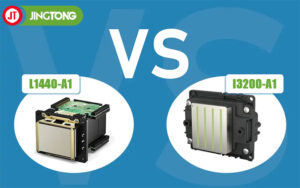
Different variants may be designed for different ink applications. For example, Epson I3200-A1, I3200-E1, and I3200-U1 are associated with different ink-system applications. Verify the exact variant against the manufacturer’s documentation.
Conclusion
There is no single best printhead for every business. Compare budget, expected production, compatibility, and total installation costs before choosing an XP600, DX5, I1600, or I3200. The right match helps reduce unnecessary expenses and avoid compatibility problems.