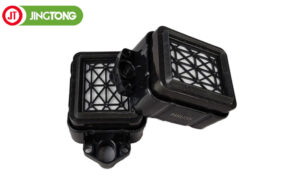
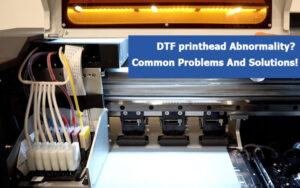
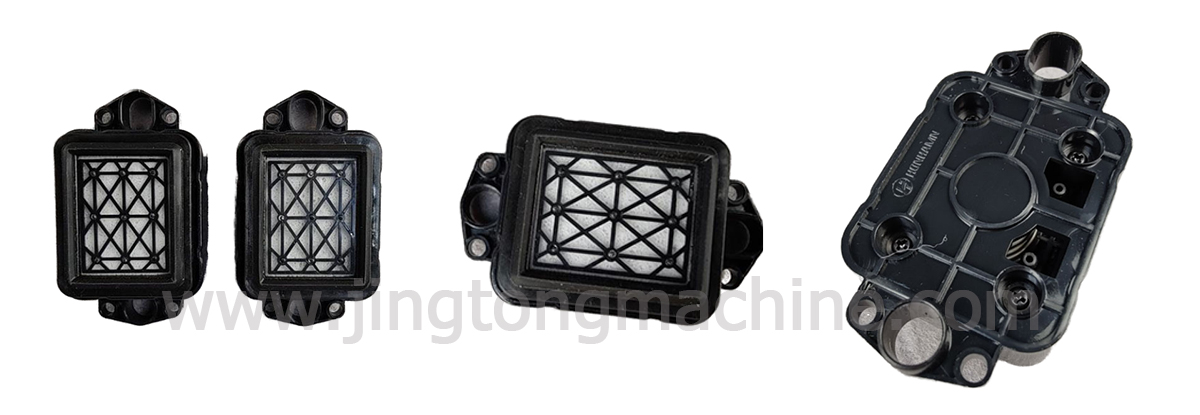
The DX5 DX7 capping top is a maintenance component used in compatible inkjet printers. It covers the printhead nozzle area when the printhead is parked, helping reduce exposure to air and ink drying. Selecting the correct cap top is essential for proper fit and reliable printer maintenance.
1. What Does a Capping Top Do?
A capping top forms a seal around the printhead nozzle area when the printer is idle. In many printer designs, the capping station also works with a pump during cleaning cycles.
If the cap becomes worn, damaged, or incorrectly positioned, it may not seal properly. This can contribute to nozzle maintenance issues, although similar symptoms may also result from clogged nozzles, ink supply problems, or a faulty pump.
2. Product Specifications
The reference listing provides the following details:
● Condition: Brand new
● Printhead compatibility: Epson DX5 and DX7
● Listed ink types: Eco-solvent, solvent, and water-based ink
● Net weight: 0.1 kg
● Package size: 20 × 14 × 10 cm
● Packaging: Individual blister and outer carton
These specifications refer to the listed product. Confirm the details with your supplier before using them for another replacement part.
3. Compatible Printer Models
The reference page lists compatibility with selected models and series, including:
● Mimaki JV33, JV5, CJV30, and CJV150 series
● Mutoh ValueJet 1204, 1324, 1624, 1638, and 2638 series
● Epson GS6000
● Selected Allwin, Yaselan, Wit-Color, Gongzheng, and Locor printers using DX5 or DX7 printheads
Compatibility may vary by printer configuration and production version. Check the original cap top’s shape, dimensions, mounting points, and tubing connections before ordering.
4. When Should You Replace the Cap Top?
Inspect the capping top if you notice visible cracks, a deformed sealing surface, ink leakage, or recurring nozzle problems. Also check related components, including the pump, waste ink tubing, and other connections.
During replacement, follow the printer manufacturer’s maintenance procedure. Install the cap in the correct position, ensure the sealing surface is clean, and check for leaks before returning the printer to normal operation.
5. How to Choose the Right Replacement
Do not rely on the printhead model alone. Provide the supplier with the printer model, photos of the original cap top, and details of the ink system. If the printer has been modified, compare the installed component directly with the proposed replacement.
Conclusion
A compatible DX5 DX7 capping top helps support routine printhead maintenance in eco-solvent and other compatible inkjet systems. Checking the physical fit and printer configuration before ordering can help avoid unnecessary downtime.