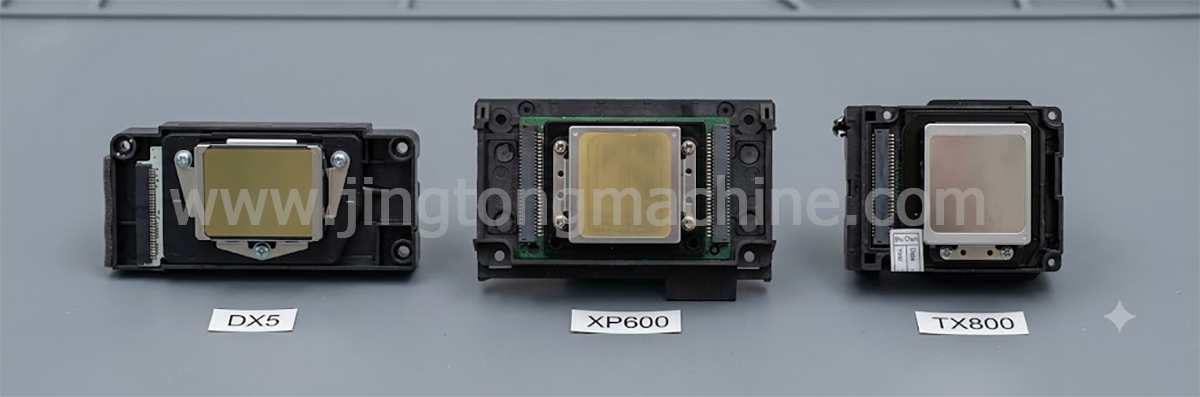
The DX5 vs XP600 vs TX800 printhead comparison is useful for businesses choosing a replacement head or evaluating printing equipment for DTF, UV, sublimation, and eco-solvent applications. These printheads are used in different printer platforms, and the best choice depends on the original machine configuration, ink system, production needs, and maintenance budget.
Rather than choosing by price or advertised specifications alone, buyers should first confirm which printhead their printer supports.
1. Main Differences at a Glance
| Feature | DX5 | XP600 | TX800 |
|---|---|---|---|
| Nozzle configuration | 1,440 nozzles, commonly listed in 8 rows | 1,080 nozzles, commonly listed in 6 rows | 1,080 nozzles, commonly listed in 6 rows |
| Common applications | Eco-solvent and selected compatible systems | DTF, UV, eco-solvent, and other compatible systems | Selected DTF, sublimation, and other compatible systems |
| Main buying consideration | Exact variant and printer compatibility | Cost, availability, and machine configuration | Exact variant and replacement availability |
| Replacement approach | Match the original DX5 configuration | Confirm the supported XP600 variant | Verify the original model code and system |
| Best starting point | Existing DX5-based printers | Compatible budget-oriented systems | Printers originally designed for TX800 |
Specifications and supported inks can vary by model revision and printer configuration. Always confirm the exact part number and manufacturer’s documentation before ordering.
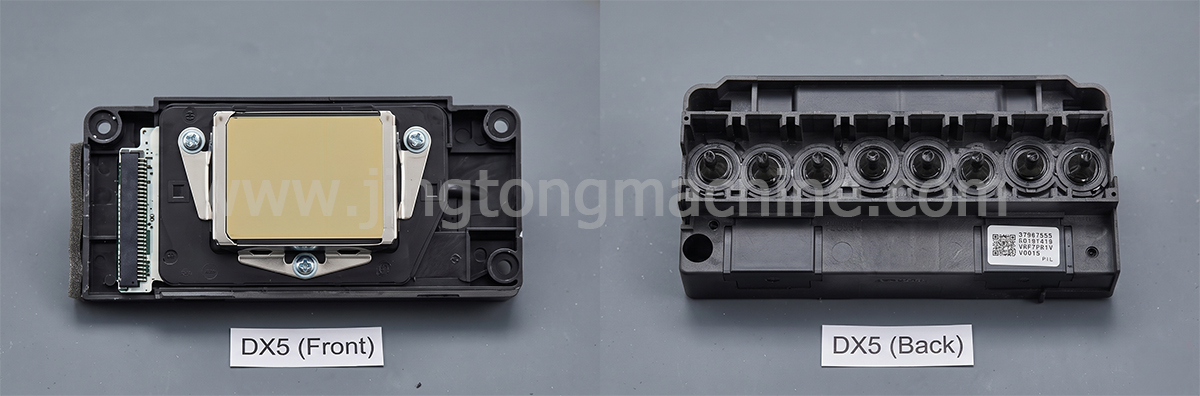
2. DX5 Printhead: For Compatible Wide-Format Systems
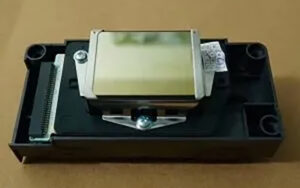
The DX5 is a well-established printhead platform found in various wide-format printing machines, particularly eco-solvent systems. It may be suitable for businesses that need to maintain an existing DX5-based printer and preserve its established workflow.
Print quality and production speed depend on the specific head variant, ink, waveform, print mode, and printer mechanics. A DX5 should not automatically be assumed to outperform every XP600 or TX800 system under all conditions.
Before purchasing, check the complete part number, lock or unlock status where applicable, cable arrangement, and controller compatibility. These details are especially important when sourcing replacement heads.
3. XP600 Printhead: A Common Choice for Cost-Conscious Setups
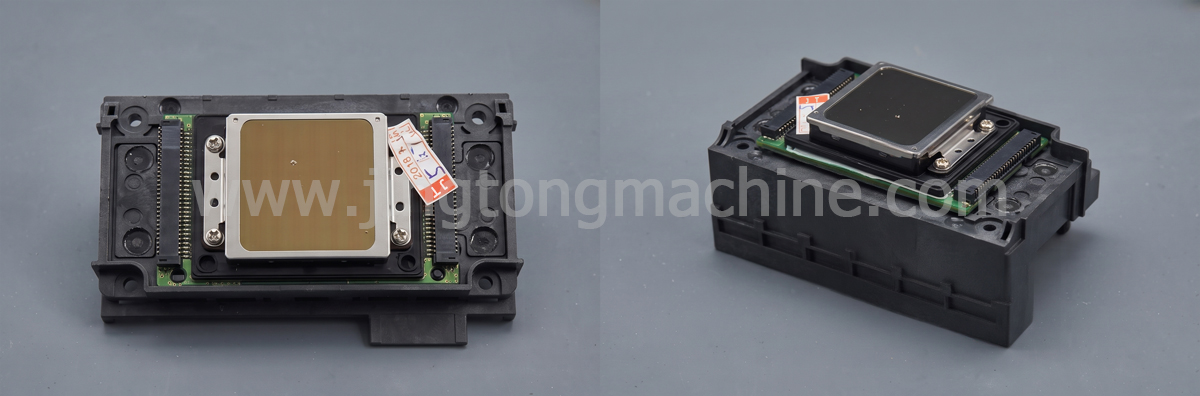
The XP600 is widely used in compatible DTF, UV, and eco-solvent printer configurations. It is often considered by businesses looking for a practical balance between initial equipment cost and everyday printing needs.
For DTF printing, the overall system matters as much as the head itself. White-ink circulation, ink filtration, dampers, capping components, and cleaning procedures all influence printing consistency.
For UV applications, buyers should confirm that the exact head variant and printer configuration support the intended UV ink. Do not assume that every XP600 configuration supports every ink type.
4. TX800 Printhead: Check the Existing Platform First
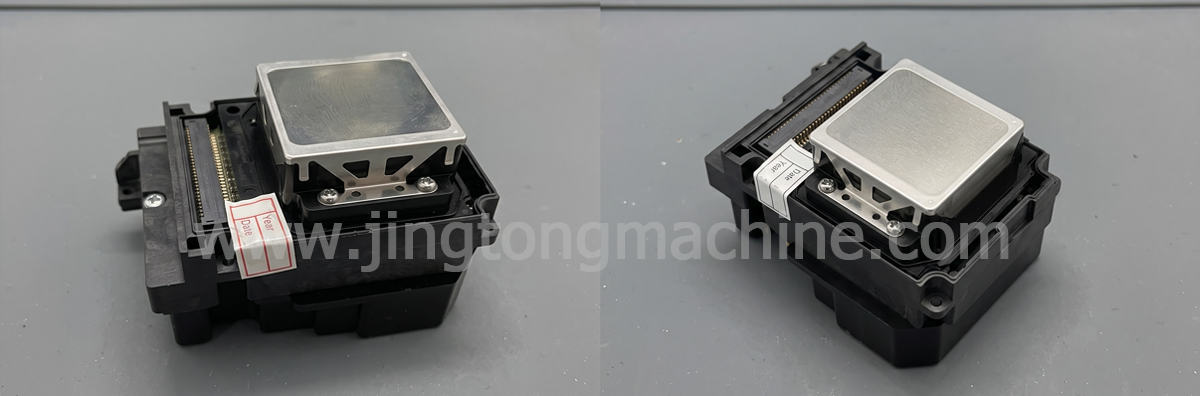
The TX800 appears in selected DTF, sublimation, and other compatible printer systems. If your machine was designed for TX800, choosing a matching replacement can help avoid unnecessary changes to the controller, ink supply, and maintenance setup.
However, product descriptions and supply conditions may differ between suppliers. Confirm the precise model code, condition, ink compatibility, and whether the head is new, used, or refurbished.
When comparing TX800 with XP600, request a nozzle test and confirm compatibility rather than relying only on claims about print quality or service life.
5. Compare Total Operating Costs
The initial printhead price is only one part of the total cost. Businesses should also consider:
● Expected maintenance and cleaning requirements.
● Ink waste during troubleshooting and servicing.
● Availability of compatible spare parts.
● Production downtime caused by print-quality problems.
● Additional hardware or calibration required for an upgrade.
For a startup, purchase cost and spare-part availability may be priorities. For a business running daily production, consistent output and fast technical support may be more valuable.
6. Which Printhead Should You Choose?
● Choose DX5 when maintaining a compatible DX5-based machine and the required variant is available.
● Consider XP600 when your printer supports it and you need a cost-conscious solution for suitable applications.
● Choose TX800 when the existing printer is built around TX800 and a verified compatible replacement is required.
For higher-volume production, compare complete printer systems rather than assuming that changing a printhead alone will deliver a major speed increase.
Conclusion
DX5, XP600, and TX800 printheads serve different printer configurations and business requirements. No single model is best for every application. The right decision depends on the exact printer, ink system, production target, and replacement cost.
Verify the full model number, ink compatibility, and controller requirements before purchasing to reduce the risk of installing an incompatible printhead.