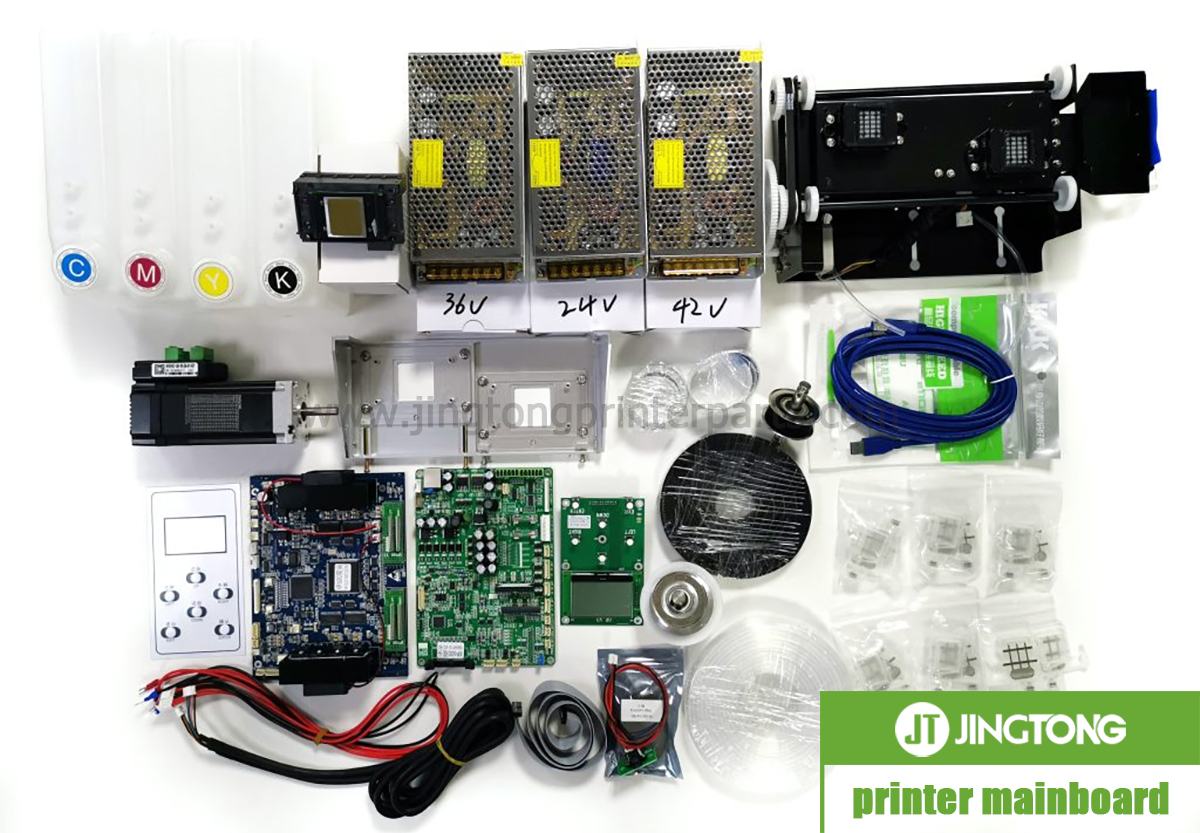
The UV flatbed printer mainboard is a central part of the machine’s electronic control system. It processes commands from the control software and coordinates communication between key components, helping the printer carry out printing tasks in the correct sequence.
Depending on the printer’s design, the control system may communicate with printhead boards, motion controllers, sensors, UV curing units, and other electronic modules. Stable communication between these components is essential for consistent operation and accurate print positioning.
However, the mainboard does not work alone. Print quality and machine stability also depend on the printhead, ink delivery system, motion components, software settings, and electrical supply. A printing problem should therefore be diagnosed systematically rather than automatically attributed to the mainboard.
Mainboard Types and Interface Differences
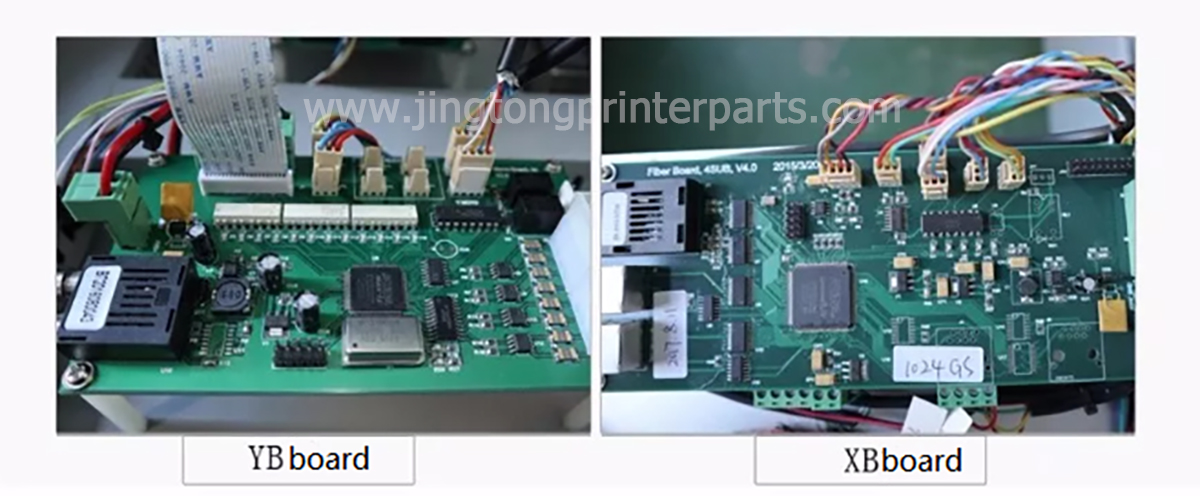
Different UV flatbed printers may use different control systems, board layouts, and communication interfaces. Some systems use optical fiber connections between electronic modules, while others rely on different data interfaces and cable arrangements.
For example, certain board families may use round or square optical fiber connectors. These differences matter when identifying replacement parts because two boards that appear similar may not share the same communication interface, firmware, or electrical specifications.
Before ordering a replacement, check the following details:
● Board model and revision: Compare the printed model number, version markings, and part number.
● Interface type: Confirm the connector shape, cable type, and port configuration.
● Printer configuration: Check the printer model, number and type of printheads, and control system.
● Firmware and software: Verify that the replacement board supports the machine’s existing control software and configuration.
Never assume that a board is compatible simply because it comes from another UV printer of a similar size.
Common Signs of Mainboard or Communication Problems
A faulty mainboard may cause startup failures, communication errors, unexpected interruptions, or abnormal responses from connected components. In some cases, the printer may fail to recognize a control board or may report printhead data errors.
These symptoms do not necessarily prove that the mainboard itself is damaged. Loose connectors, damaged data cables, unstable power, faulty peripheral boards, and software or driver problems can produce similar results.
A practical diagnostic process starts with the machine’s error messages and operating history. Check the power supply and external connections first, then inspect the relevant communication cables and connected modules according to the manufacturer’s procedure. If the same error remains after basic checks, qualified technical support can help isolate the faulty component.
Factors That Can Damage a Printer Mainboard
Electronic control boards are sensitive to electrical and environmental conditions. Unstable power, poor grounding, liquid contamination, static discharge, and incorrect cable handling may cause damage or intermittent faults.
Ink mist and dust can also accumulate inside the printer over time. If contamination reaches connectors or exposed electronic components, it may interfere with reliable operation.
To reduce these risks, keep the printer’s electrical compartment clean and dry, use a properly grounded power supply, and follow the manufacturer’s requirements for voltage protection. Always shut down and disconnect power before inspecting internal electronic connections.
How to Choose the Correct Replacement Mainboard
Selecting a replacement requires more than matching the printer brand. The board must be compatible with the specific control system, printhead configuration, interface, and firmware.
Before purchasing, prepare the printer model, a clear photo of the original board label, its part number and revision, and photos of the relevant connectors. If the board is connected to separate printhead or adapter boards, include those details as well.
Confirm whether the supplier is offering a complete control board, a printhead board, or an adapter board. These parts serve different roles and are not interchangeable in every system.
Conclusion
The UV flatbed printer mainboard coordinates communication between the printer’s software and electronic components. Understanding its interfaces and common failure symptoms can help technicians narrow down faults and avoid unnecessary part replacement.
Accurate model identification and compatibility checks are essential when sourcing a replacement. When a fault involves internal power circuits, printhead drive electronics, or uncertain wiring, follow the manufacturer’s service instructions or consult a qualified technician.