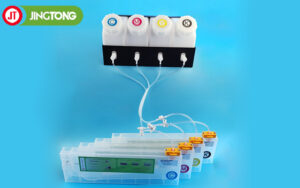
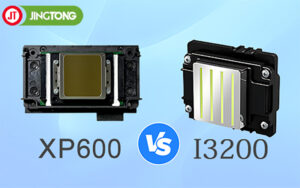
UV printer ink filtration is an important part of maintaining a reliable ink delivery system. Even when ink looks clean, small particles, agglomerates, or other contaminants may affect ink flow and contribute to nozzle problems. Selecting a suitable filter and maintaining it properly can help reduce these risks.
1. Why Ink Filtration Matters
Ink filters help capture particles before they reach sensitive components in the ink delivery system. Contamination may contribute to blocked filters, unstable ink flow, and printhead nozzle problems.
White UV ink requires particular attention because its pigment can settle or form agglomerates during storage and operation. Proper agitation or circulation, when supported by the printer design, helps manage settling but does not replace appropriate filtration.
2. How to Choose the Right Filter Rating
Filter selection should follow the printhead manufacturer’s requirements and the ink system design. A smaller micron rating does not automatically mean a filter is suitable for every printer.
Before selecting a filter, consider:
● Filtration rating: Confirm the required particle-retention rating and whether the specification is nominal or absolute.
● Material compatibility: Ensure the filter media and housing are compatible with the ink chemistry.
● Flow requirements: The filter should provide adequate ink flow without creating unsuitable pressure conditions.
● System design: Check whether the filter is intended for the main ink line, a secondary circuit, or final filtration near the printhead.
Do not install a finer filter simply because it appears to offer better protection. An unsuitable filter can restrict flow or introduce compatibility problems.
3. Special Considerations for White UV Ink
White ink formulations often contain pigments that can settle during storage or periods of inactivity. If the ink is not managed according to the manufacturer’s instructions, particles may accumulate and affect ink delivery.
Use the printer’s recommended circulation or agitation system, check for sediment where accessible, and follow the specified ink handling procedure. Filtration should complement these measures rather than serve as the only solution to pigment settling.
4. Filter Placement and Replacement
The filter’s location affects its role in the ink system. Follow the equipment manufacturer’s design recommendations for installation and avoid making changes that could affect pressure balance or ink flow.
Inspect filters according to the printer’s maintenance schedule and replace them when required. Do not rely on a universal replacement interval: service life depends on ink condition, production volume, contamination levels, and the filter design.
When replacing a filter, follow the correct procedure to prevent air from entering the ink line. Check connections for leakage and confirm stable ink delivery before resuming production.
5. Troubleshooting Recurring Printhead Clogs
If nozzle problems continue, inspect the complete ink path rather than assuming the filter is the only cause. Possible factors include unsuitable ink, air leaks, damaged dampers, pump issues, incorrect maintenance procedures, or a worn printhead.
Conclusion
Effective UV printer ink filtration combines the correct filter rating, compatible materials, proper installation, and regular inspection. When combined with suitable ink handling and maintenance, it can help reduce contamination risks and support consistent printer operation.