When comparing the Epson i3200-A1 vs A1HD vs U1HD, the main differences involve ink compatibility, grayscale control, and system requirements. Although these printheads belong to the same product family, they are designed for different printing workflows. Understanding their differences helps printing businesses select a suitable replacement or plan a more comprehensive printer upgrade.
1. Epson i3200-A1: Aqueous Printing Applications
The i3200-A1 is designed for aqueous ink applications. It can be considered for compatible photo printing, signage, and textile-related systems, depending on the printer configuration and ink requirements.
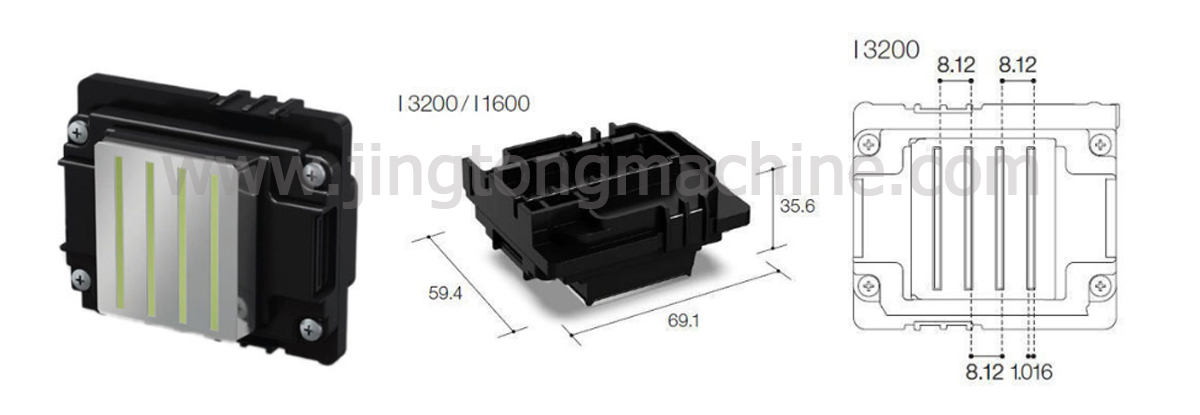
Its specifications include 3,200 nozzles arranged in eight rows and four ink channels. The reference comparison lists three-level grayscale performance.
For businesses operating an existing A1-based printer, retaining the same printhead type may be the most straightforward option when the current system meets production and quality requirements.
2. Epson i3200-A1HD: Enhanced Grayscale Control
The i3200-A1HD is also designed for aqueous ink, but it uses an eight-channel architecture. According to the reference article, it retains 3,200 nozzles while supporting four-level grayscale.
These differences may be relevant for applications that require smooth tonal transitions, detailed images, or consistent output at demanding production settings.
However, an A1HD upgrade is not automatically a plug-and-play replacement. Updated waveforms, firmware, and RIP software support may be required. Confirm compatibility with the printer manufacturer or system integrator before purchasing.
3. Epson i3200-U1HD: For Different Ink Requirements
The i3200-U1HD is intended for compatible UV-curable and solvent-related printing applications. Its ink requirements differ from those of the aqueous A1 and A1HD models.
A printer designed for aqueous ink may not be suitable for U1HD installation without substantial system changes. Ink-contact materials, tubing, fittings, drive electronics, waveforms, and firmware all need to be evaluated.
For this reason, the U1HD is generally better considered for a compatible new printer or a professionally engineered system rebuild rather than a simple printhead swap.
4. Key Differences at a Glance
| Feature | i3200-A1 | i3200-A1HD | i3200-U1HD |
| Ink category | Aqueous | Aqueous | UV / compatible solvent inks |
| Nozzle count | 3,200 | 3,200 | 3,200 |
| Channel architecture | 4 channels | 8 channels | 8 channels |
| Grayscale | 3-level | 4-level | 4-level |
| Main consideration | Existing aqueous systems | Enhanced grayscale applications | Different ink chemistry and system requirements |
5. How to Choose the Right Upgrade
Consider the following questions before selecting a printhead:
Keeping an existing aqueous system? The A1 may remain suitable if its performance meets your needs.
Need improved grayscale performance? Evaluate the A1HD and confirm controller, firmware, and RIP compatibility.
Changing to UV or solvent-related inks? Assess the U1HD only as part of a compatible printer design or professionally engineered conversion.
Conclusion
The i3200-A1, A1HD, and U1HD serve different requirements despite sharing the same family name. Matching the printhead to the ink system, electronics, and target application is essential for a reliable upgrade.