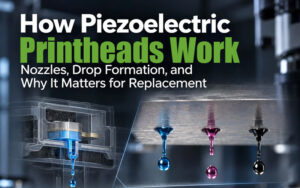
The Epson I3200 printhead is widely used in industrial digital printing systems, but it is not the only option for manufacturers and print businesses. The S3200 is designed for production environments that require a wider effective print width, while the 4720 is commonly found in existing equipment and cost-conscious printing setups.
Although these models share some similarities in nozzle technology and application areas, they are not direct substitutes. Their dimensions, electrical interfaces, ink compatibility, and control system requirements must be considered before selecting or replacing a printhead.
Key Differences in Design and Specifications
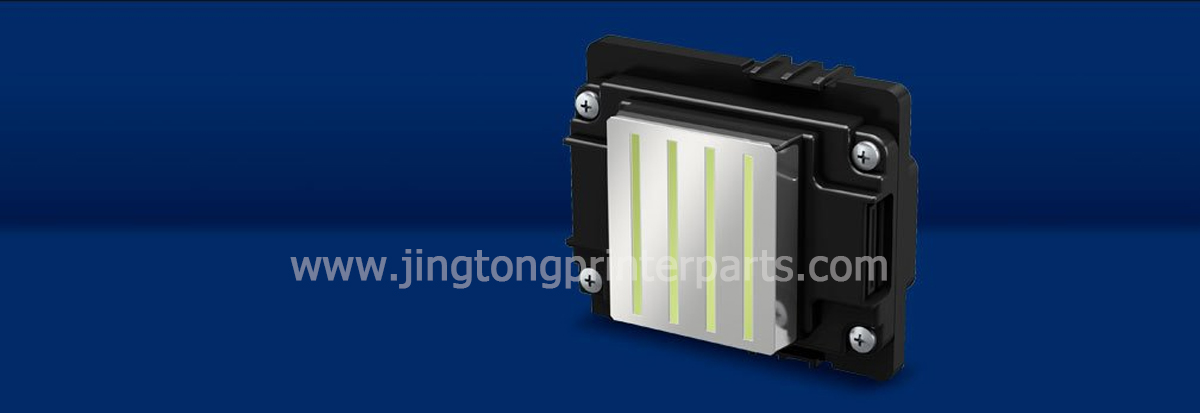
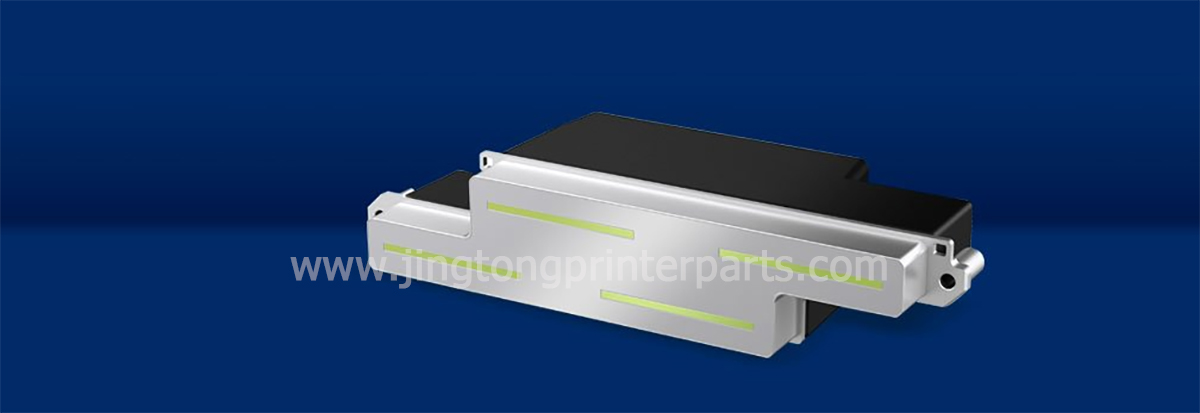
The S3200 and I3200 belong to Epson’s PrecisionCore printhead family. Their physical layouts differ considerably, which affects how they are installed and arranged within a printer.
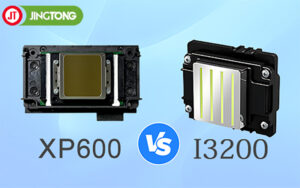
The S3200 has a wider effective print width, making it suitable for certain industrial configurations where printhead arrangement and production throughput are important. The I3200 has a more compact design and is commonly integrated into a range of industrial printers.
The 4720 is often associated with printheads adapted from Epson desktop-printing platforms for use in third-party equipment. Its similar appearance to the I3200 can cause confusion, but visual similarity does not establish electrical or system compatibility.
| Comparison point | S3200 | I3200 | 4720 |
|---|---|---|---|
| Design focus | Wider industrial printing coverage | Compact industrial integration | Existing and adapted printing systems |
| Effective print width | Approximately 120.2 mm for listed variants | Approximately 33.8 mm for listed variants | Depends on the specific configuration |
| Installation | Requires a compatible carriage and mounting arrangement | Requires a compatible carriage and control system | Depends on the adapted printer system |
| Ink compatibility | Depends on model suffix | Depends on model suffix | Must be verified for the actual head and system |
| Main selection factor | Production layout and throughput | Balance of integration and production needs | Existing equipment and total replacement cost |
Specifications above are indicative for the variants described in the reference material. Confirm the official datasheet for the exact part number before ordering.
Epson I3200 vs 4720: Compatibility Matters
The I3200 and 4720 may look similar, but replacement decisions should not be based on appearance alone. A printer designed for one head may require a different driver board, cable configuration, firmware, or ink delivery arrangement to operate another model.
For the I3200, check the complete model suffix. A1, U1, and E1 versions are designed for different ink categories, so choosing the wrong variant can lead to compatibility issues. The printer manufacturer’s specifications should take priority over general online comparisons.
When evaluating a 4720 replacement, confirm the exact head type installed in the machine and whether the control system supports the proposed alternative. Even if two printheads share a similar nozzle layout, their operating requirements may differ.
Epson S3200 vs I3200: Print Width and Productivity
One major difference between the S3200 and I3200 is their effective print width. For the listed variants, the S3200 provides approximately 120.2 mm of effective width, compared with approximately 33.8 mm for the I3200.
A wider effective print width can influence how many heads are needed and how they are arranged across a production system. However, it does not automatically mean that every S3200-equipped printer will outperform every I3200-equipped machine. Actual output also depends on the number of heads, print mode, resolution, carriage or transport design, ink characteristics, and production workflow.
The S3200 is worth evaluating when a business is planning a high-output industrial line. The I3200 may be a more practical fit when the printer design, budget, and production target align with its configuration.
Ink Types and Model Suffixes
Printhead model suffixes are important because different versions may support different ink systems. For example, the I3200-A1 is associated with aqueous ink, the I3200-U1 with UV ink, and the I3200-E1 with eco-solvent ink.
These variants should not be treated as interchangeable. Ink chemistry, electrical settings, maintenance requirements, and the printer’s ink supply system all affect compatibility. The same caution applies when comparing S3200 variants.
Before purchasing a replacement, check the exact suffix printed on the existing head or listed in the machine’s documentation. If the label is unclear, provide the printer model and clear photos of the original part to the supplier.
How to Choose the Right Printhead
The best choice depends on the equipment and the required production results rather than the model name alone.
● Consider the S3200 when the printer is designed for a wider effective print width and an industrial production layout that supports this
head.
● Consider the I3200 when its specifications, ink type, and control system match the intended printer configuration.
● Consider the 4720 when maintaining an existing system, but verify the precise model and replacement compatibility before comparing its initial cost with other options.
It is also useful to compare the full operating cost. A lower purchase price may not provide better value if the replacement requires additional electronics, installation changes, or modifications to the ink supply system.
Final Thoughts
The S3200, I3200, and 4720 serve different equipment configurations and purchasing needs. The S3200 offers a wider effective print width in the listed variants, the I3200 provides a compact industrial option, and the 4720 remains relevant in certain existing printer systems.
For reliable selection, verify the complete model number, ink category, mounting dimensions, electrical interface, and control system requirements. Matching these details before ordering can reduce compatibility risks and avoid unnecessary downtime.